Cut to the beat.
Automatically.
Pulse Edit detects every beat in your music and edits your footage to it — inside DaVinci Resolve. Or lays a wedding out in the order it happened. One click, either way.
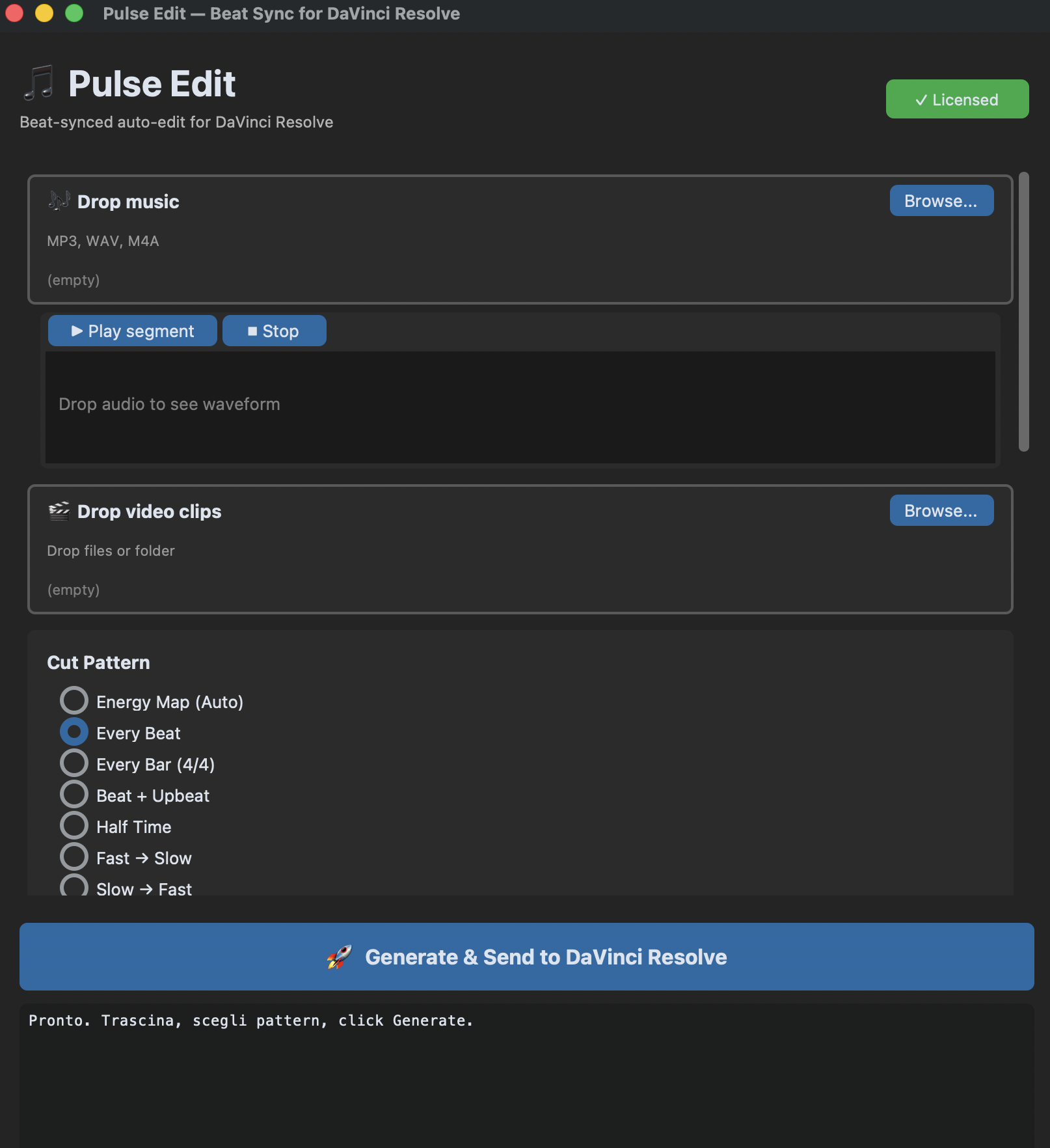
Watch Pulse Edit cut to the beat
Finished edit in three steps
No timeline scrubbing, no manual tapping. You bring the clips and the song — Pulse Edit does the cutting.
Pick how it cuts
Five cut patterns, from Every Beat to Energy Map to Half Time. Pick one and the same footage becomes a hard-cut music video or an elegant montage — no re-editing. Let "Auto pattern from mood" choose, and it changes the pattern section by section.
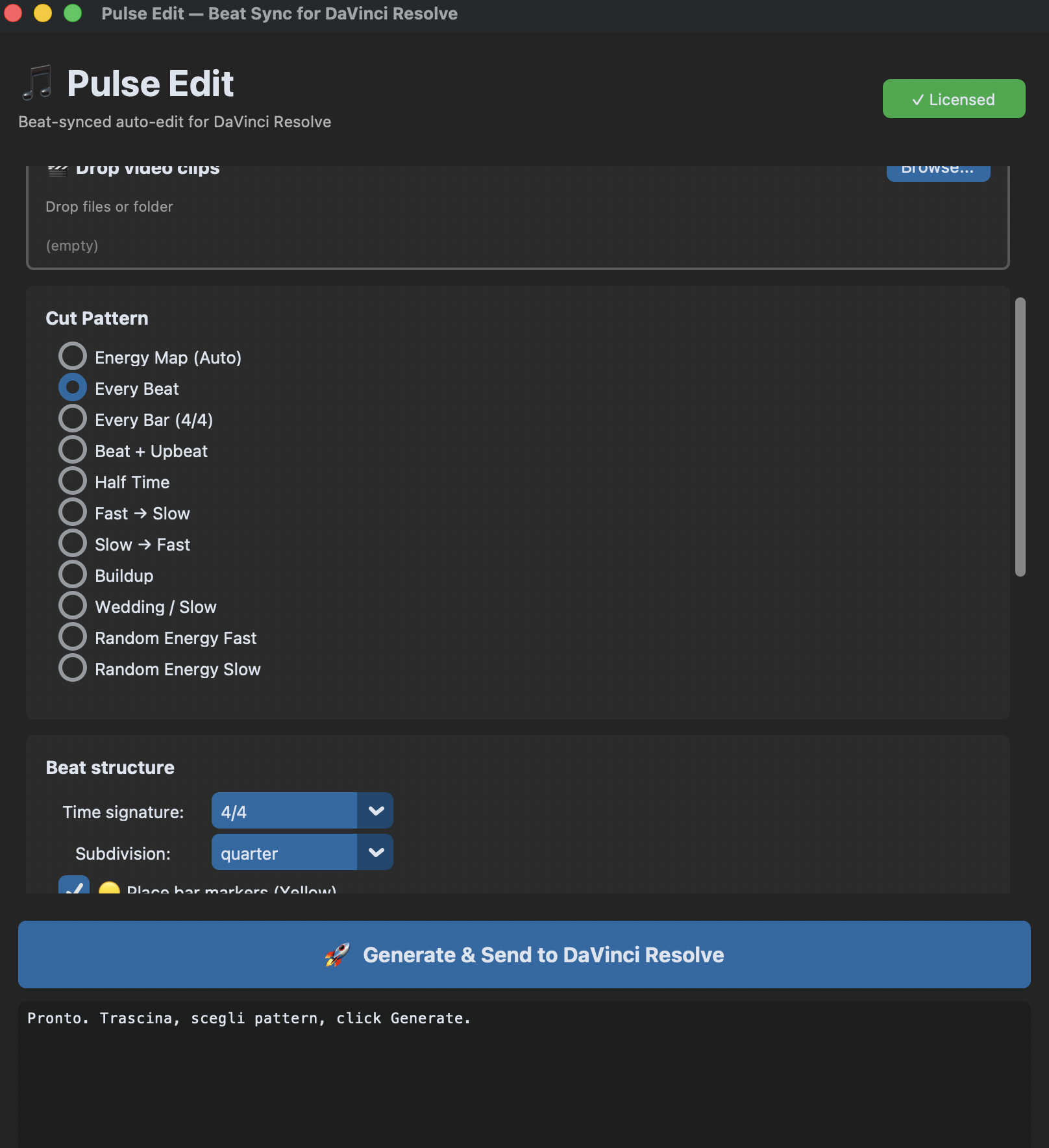
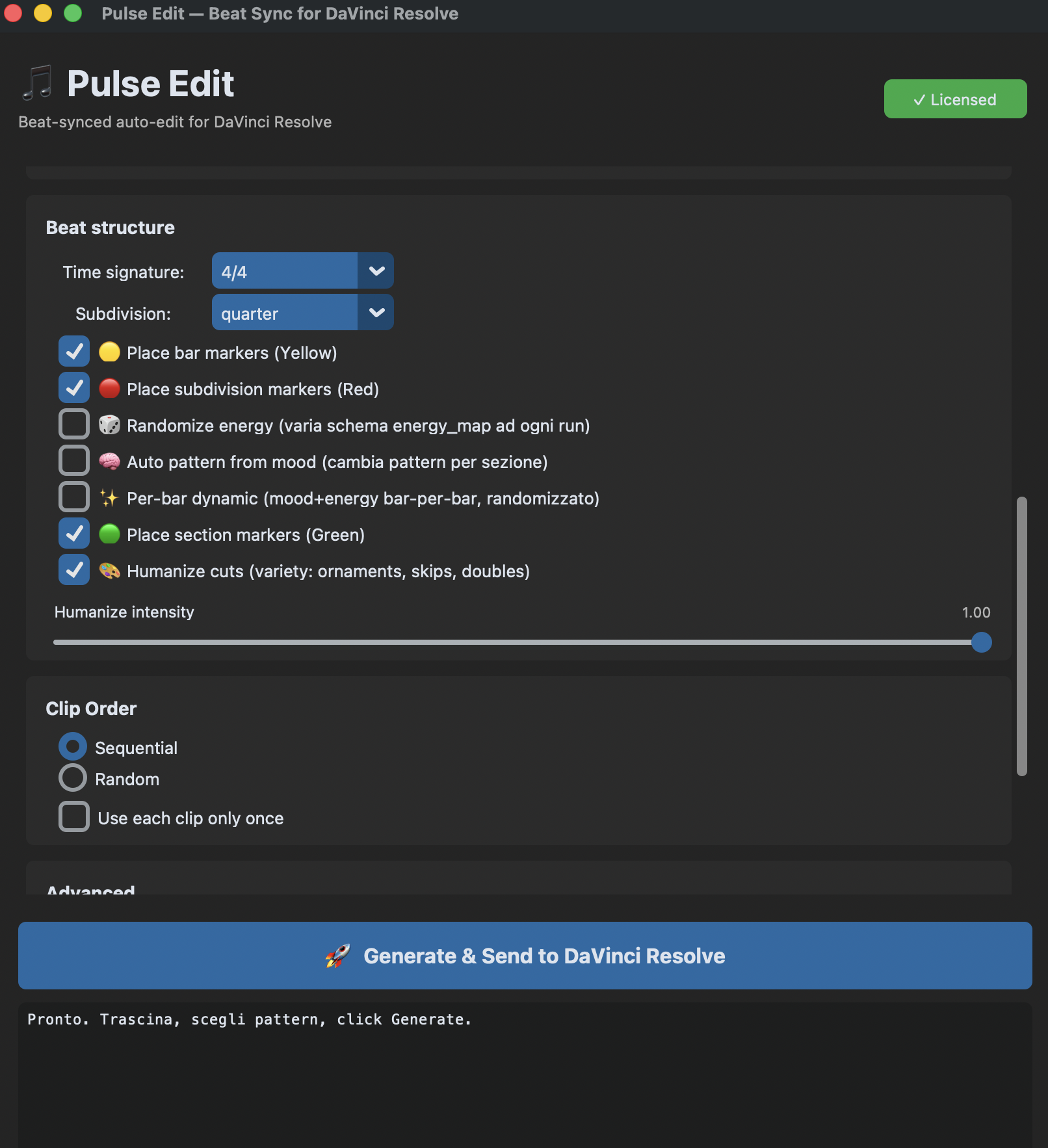
Shape every beat
Set the time signature, drop bar, subdivision and section markers, then humanize the cuts with ornaments, skips and doubles. Auto-pattern-from-mood adapts the edit section by section.
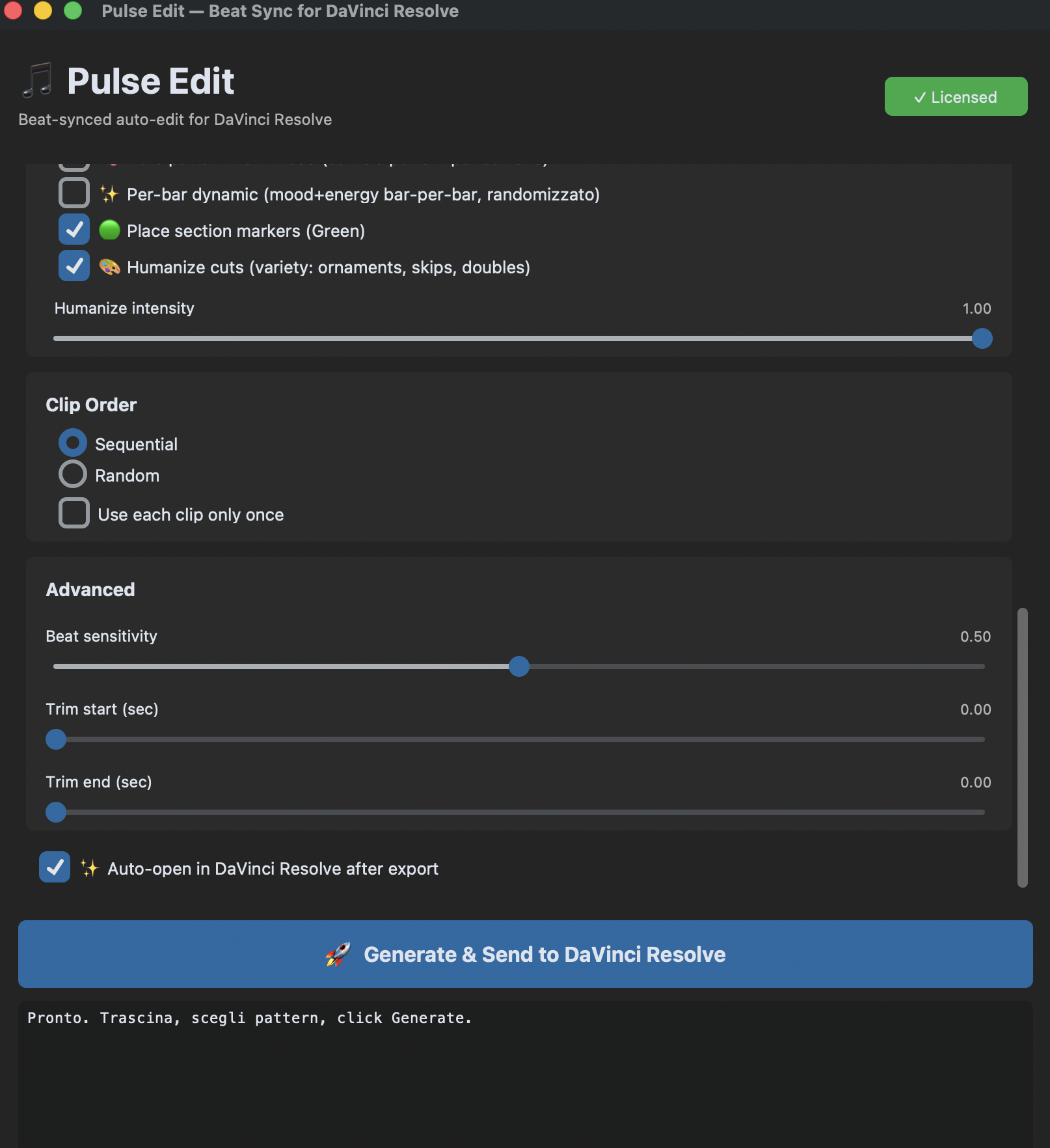
Generate & send to Resolve
Tune beat sensitivity and trims, then hit one button. Pulse Edit builds the OTIO timeline and drops it straight into DaVinci Resolve — Free or Studio, no scripting needed.
One song. Any edit.
Each pattern reshapes the rhythm of the cut — the same footage and track become a different video. Energy Map reads the song and decides for you.
A real editor, not a marker tool
Beat detection
Accurate onset detection finds every beat in any track — adjustable sensitivity, time signatures and subdivisions.
Auto-cut, not markers
It doesn't just mark the beats — it cuts and places your clips on them, building the timeline for you.
Mood-aware & humanized
Auto-pattern-from-mood reshapes the edit per section, humanize adds ornaments and skips, and randomize-energy keeps every render fresh.
Works on DR Free
Uses OTIO export, so it runs on the free DaVinci Resolve and Studio alike, 18.5+. No scripting API needed.
macOS & Windows
Native builds for both. macOS is signed and notarized by Apple. Install and edit in minutes.
Weddings, in order
Chronological mode reads each clip's recording time and lays the day out as it happened. Two cameras interleave correctly when their clocks are in sync.
Auto-editing, not just beat markers.
Looking for a BeatEdit alternative on DaVinci Resolve? → Read the full comparison
Shooting weddings or events?
Pulse Edit assembles your whole day in chronological order, cut to the music — automatic video editing built for wedding and event videographers. It's the same app, no add-on to buy.
See how it edits a wedding →One plan. Cancel any time.
No tiers, no upsell maze. Everything Pulse Edit does — beat editing and chronological wedding assembly — for €13 a month, or €130 a year.
14-day money-back guarantee. If it doesn't work on your DaVinci Resolve setup, we fix it or refund you — no questions asked.
Bought Pulse Edit before July 2026? Your licence stays yours forever. You don't need a subscription and nothing will be charged to you.
- Beat detection + auto-cut to the beat
- 5 cut patterns & AI mood
- Chronological order for weddings
- Works on DR Free & Studio (18.5+)
- macOS & Windows
Shooting a full season? Pay €130 for the year and get two months free.
VAT included. Renews until you cancel. Cancel in one click — no email, no phone call.
Before you buy
Drop a music track and your video clips into Pulse Edit, pick one of five cut patterns — including Energy Map, which adapts cut density to the music — then hit Generate & Send. It detects every beat, cuts your clips to it, and drops the timeline straight into DaVinci Resolve via OTIO. Works on all DaVinci Resolve versions (Free and Studio, 18.5+). You do not need DaVinci Resolve Studio.
No. Pulse Edit works with ALL versions of DaVinci Resolve — both the free DR and DR Studio, 18.5 or later. It uses OTIO timeline export, so no scripting API is required. Whether you run the free DaVinci Resolve or Studio, Pulse Edit works the same way.
BeatEdit for DaVinci Resolve ($49.99) detects beats and places markers for you to cut against — and since DaVinci Resolve 19.1 it only runs on the Studio version. Pulse Edit goes further: it auto-cuts and assembles your clips on the beat, picks the pattern from the mood of the track, works on DaVinci Resolve Free too (via OTIO), and costs €13 a month with no lock-in.
Yes — €13 per month, or €130 for a year (two months free). You can cancel it yourself in one click from the Manage subscription link at the top of this page. No contract, no minimum term. While you're subscribed you get every update. If you bought a licence before July 2026, it stays yours forever: nothing changes for you.
Pulse Edit comes with a 14-day money-back guarantee. If it doesn't run on your DaVinci Resolve setup, email support@pulseedit.com — we'll fix it or refund you, no questions asked.
macOS: Apple Silicon only (M1, M2, M3, M4 or later) — Intel Macs are NOT supported. macOS 12 or later, signed and notarized by Apple. Windows: 10/11, 64-bit. Pulse Edit works with all DaVinci Resolve versions (Free and Studio), 18.5 or later.